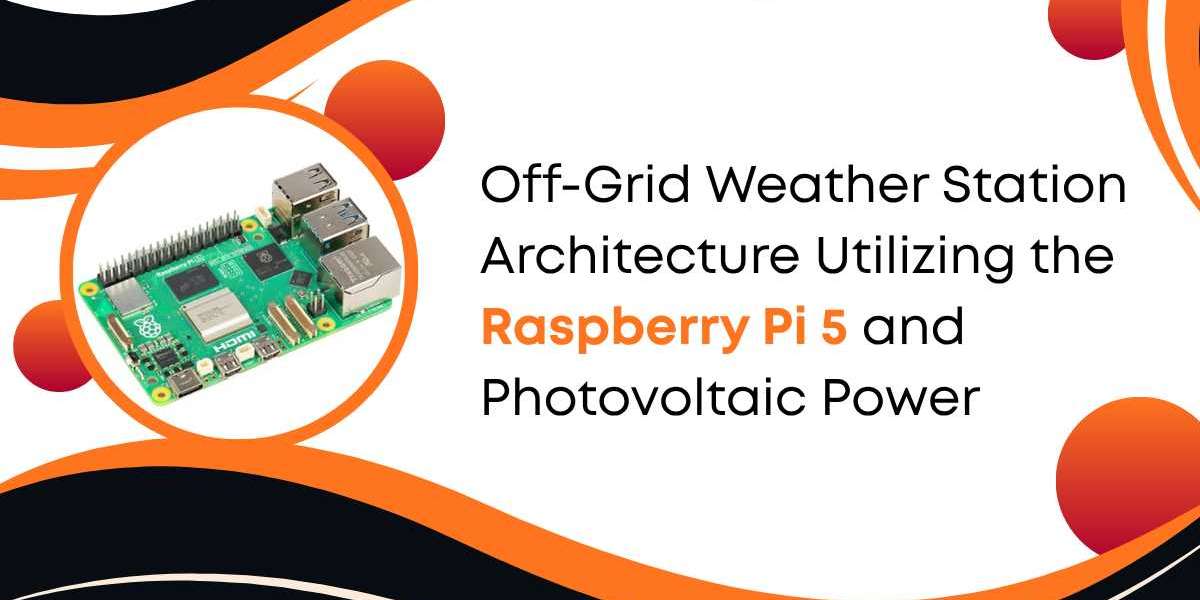

Building an off-grid weather station requires a deep understanding of power dynamics and hardware integration. The Raspberry Pi 5 serves as a high-performance brain for these remote systems. It offers a significant leap in processing power over its predecessors. When you deploy a Raspberry Pi 5 8GB in the field, you gain the ability to process complex environmental data locally. This article explores the architectural requirements for a solar-powered sensing station. We will analyze power budgets, hardware selection, and data management strategies.
The Core Architecture of the Raspberry Pi 5
The Raspberry Pi 5 introduces the BCM2712 application processor. This chip uses a 16-nanometer process node. It is more efficient than the 28-nanometer process used in older boards. For a weather station, efficiency is the most important metric. You have a limited amount of energy stored in your batteries. Every milliamp counts when the sun goes down.
1. Memory Benefits of the 8GB Model
Why choose the Raspberry Pi 5 8GB for a weather station? Most basic logging tasks only need 1GB of RAM. However, modern stations do more than log text. They often include high-resolution cameras for cloud cover analysis. They might run local AI models to identify bird species or monitor crop health. The 8GB of LPDDR4X-4267 RAM provides a massive buffer. This prevents the system from swapping data to the SD card. Frequent SD card writes consume extra power and shorten the life of the storage media.
2. The New Power Management IC
The Raspberry Pi 5 features a dedicated Power Management Integrated Circuit (PMIC). This chip allows for better control over the board's energy states. It supports a real-time clock (RTC) that can wake the Pi from a deep sleep. In an off-grid setup, you can program the Pi to wake up every thirty minutes. It can read the sensors, transmit data, and then return to a low-power state. This "burst" operation mode is the key to long-term survival on solar power.
Photovoltaic Power System Design
A solar power system has four main parts. These are the solar panels, the charge controller, the battery, and the voltage regulator. You must match these components to the energy needs of the Raspberry Pi 5.
1. Analyzing Power Consumption Stats
Before you buy a solar panel, you must know your load. Under a standard Linux OS, the Raspberry Pi 5 has the following power profiles:
- Idle State: 2.7 Watts to 3.2 Watts.
- Medium Load (Sensors Active): 5.0 Watts to 7.5 Watts.
- Peak Load (Stress Test): 12.0 Watts to 15.0 Watts.
- Sleep Mode (via PMIC): Less than 0.05 Watts.
If your station runs 24 hours a day at an average of 4 Watts, you consume 96 Watt-hours (Wh) daily. In many regions, you only get 3 to 5 hours of usable sunlight in winter. Your solar panel must generate that 96 Wh in just a few hours.
Selecting the Solar Panel
A 50-Watt solar panel is a safe starting point for a Raspberry Pi 5 8GB project. On a clear day with 4 hours of peak sun, a 50W panel generates roughly 200 Wh. This creates a surplus. You use half the energy to run the Pi during the day. The other half charges the battery for night use.
1. Battery Chemistry Comparison
You have three main choices for energy storage: Lead Acid, Lithium-Ion, and LiFePO4.
- Lead Acid (AGM): These are heavy and cheap. You can only use 50% of their capacity without damage. They do not last long in high heat.
- Lithium-Ion (NMC): These have high energy density. However, they can be unstable. They also fail to charge safely below 0°C.
- Lithium Iron Phosphate (LiFePO4): This is the gold standard for off-grid weather stations. They handle 3,000+ charge cycles. They are very safe. Most importantly, they maintain a steady voltage until they are almost empty.
For a 96 Wh daily load, a 12V 30Ah LiFePO4 battery is ideal. This provides about 360 Wh of total storage. This allows the station to run for three full days without any sunlight.
Sensor Integration via GPIO and I2C
The Raspberry Pi 5 interacts with the physical world through its 40-pin header. For weather sensing, you need a mix of digital and analog interfaces.
1. Digital Environmental Sensors
Most modern sensors use the I2C (Inter-Integrated Circuit) protocol. This allows you to chain multiple sensors on just two wires.
- BME680: This sensor measures temperature, humidity, pressure, and Volatile Organic Compounds (VOC). It provides an "Air Quality Index" score.
- TSL2591: This is a high-gain light sensor. It can measure infrared and visible light separately. This helps calculate the solar radiation reaching your site.
2. Mechanical Sensors
Wind speed and rainfall measurement usually rely on mechanical parts. An anemometer uses a small magnet and a reed switch. Each rotation closes the switch. You connect this to a GPIO pin on the Raspberry Pi 5. You then write a Python script to count these pulses over a specific time. A tipping bucket rain gauge works the same way. Every 0.2mm of rain tips the bucket and triggers a pulse.
2. Analog-to-Digital Conversion
The Raspberry Pi 5 does not have built-in analog pins. If you use an older analog wind vane, you need an ADC chip. The ADS1115 is a popular choice. It offers 16-bit resolution. It connects to the Pi via I2C. This allows you to read voltages from sensors that do not have a digital output.
Thermal Management in Extreme Environments
Heat is a major enemy of the Raspberry Pi 5. The Broadcom SoC can throttle its speed if it exceeds 80°C. In a sealed outdoor box, temperatures can soar.
1. The Active Cooler Requirement
The official Raspberry Pi Active Cooler is a must-have for the Raspberry Pi 5 8GB. It combines a large aluminum heatsink with a variable-speed fan. The fan only spins when necessary. This saves power. In a weather station, you should mount the Pi vertically. This encourages natural convection even when the fan is off.
2. Enclosure Physics
Never use a black enclosure for an off-grid station. Black plastic absorbs solar radiation. This creates a "heat trap" inside. Use a white, UV-resistant polycarbonate box. The box should have a double-walled roof. This creates an air gap that acts as insulation.
Connectivity and Data Transmission
Gathering data is useless if you cannot access it. Off-grid sites usually lack standard Wi-Fi.
1. Cellular Integration
A 4G or 5G HAT (Hardware Attached on Top) is the most common solution. The Raspberry Pi 5 has a high-speed PCIe interface. You can use an M.2 adapter to attach a high-performance cellular modem.
- Power Tip: Use a MOSFET to cut power to the modem when it is not in use. A cellular modem can draw 2 Watts just by staying connected to a tower.
- Data Usage: Send data in compressed JSON or Protocol Buffer formats. This minimizes the time the radio stays active.
2. LoRaWAN as an Alternative
If your station is within 10 kilometers of a gateway, use LoRaWAN. LoRa (Long Range) uses very little power. A LoRa transmitter uses about 100mA during a transmission. This is much lower than a 2000mA spike from a 4G modem. It is perfect for sending simple weather packets every 10 minutes.
Software Optimization for Remote Stability
Software failures are costly in remote areas. You cannot simply walk over and hit a reset button.
1. Using a Read-Only File System
SD cards are prone to corruption during power dips. If the battery runs low, the Pi might shut down unexpectedly. You should configure the Raspberry Pi 5 to use a read-only file system. This prevents the OS from writing to the disk during normal operation. All logs should go to a RAM disk (tmpfs).
2. Watchdog Timers
The Raspberry Pi 5 has a built-in hardware watchdog. This is a timer that the system must "kick" every few seconds. If the software freezes, the timer expires. The hardware then forces a reboot. This ensures the station recovers from software crashes automatically.
3. Automated Power Shedding
Write a script that monitors the battery voltage. If the voltage drops below a certain level, the Pi should take action.
- Level 1 (Low): Stop taking photos or running AI models.
- Level 2 (Critical): Stop all transmissions except for basic status pings.
- Level 3 (Emergency): Perform a clean shutdown and wait for the sun to recharge the battery.
Real-World Example: An Alpine Station Build
Let us look at a theoretical build in a cold, high-altitude area.
- Hardware: Raspberry Pi 5 8GB, 60W Solar Panel, 40Ah LiFePO4 Battery.
- Climate Challenge: Temperatures drop to -20°C.
- Solution: Use a heating pad inside the battery compartment. The Raspberry Pi 5 can trigger a relay to turn on the heater using surplus solar power during the day. This keeps the battery within its safe charging range.
- Data Strategy: The station uses a 4G modem to upload data to a cloud dashboard. It stores a backup on an industrial-grade microSD card.
Maintenance and Long-Term Reliability
An off-grid station is not a "set and forget" device. It needs yearly maintenance to ensure data accuracy.
- Cleaning: Dust and bird droppings reduce solar panel efficiency. Clean the panels every six months.
- Calibration: Weather sensors drift over time. Compare your readings against a calibrated handheld meter once a year.
- Insects: Spiders love to build webs inside anemometers and Stevenson screens. Use fine mesh over all openings to prevent blockages.
Conclusion
The Raspberry Pi 5 provides the compute power needed for modern remote sensing. By using the Raspberry Pi 5 8GB, you ensure your station can handle future software updates and complex tasks. The key to success lies in the balance between the solar array and the battery capacity.
A well-designed system avoids common pitfalls like heat soak and SD card corruption. With the right PMIC settings and a robust LiFePO4 battery, your station can operate for years. The transition from a simple logger to an edge-computing weather station is now possible for any engineer.





