
When setting up a computer workstation, you'll inevitably encounter NEMA cables. These standardized power cords connect your devices to wall outlets, but many users wonder whether they can safely use NEMA power cords for their computer and monitor setup. The short answer is yes, but understanding the specifics will help you make informed decisions about your equipment.
Understanding NEMA Cables
The National Electrical Manufacturers Association (NEMA) establishes standards for electrical plugs and receptacles used throughout North America. NEMA cables follow these standardized specifications, ensuring consistency and safety across electrical devices. When you purchase computers, monitors, or other electronics in the United States or Canada, they typically come equipped with NEMA-compliant power cords.
These standardized connections provide reliable power delivery while maintaining strict safety protocols. NEMA cables undergo rigorous testing to meet electrical codes and prevent hazards like overheating, short circuits, or electrical fires.
Common NEMA Cable Types for Computer Equipment
NEMA 5-15 Power Cords
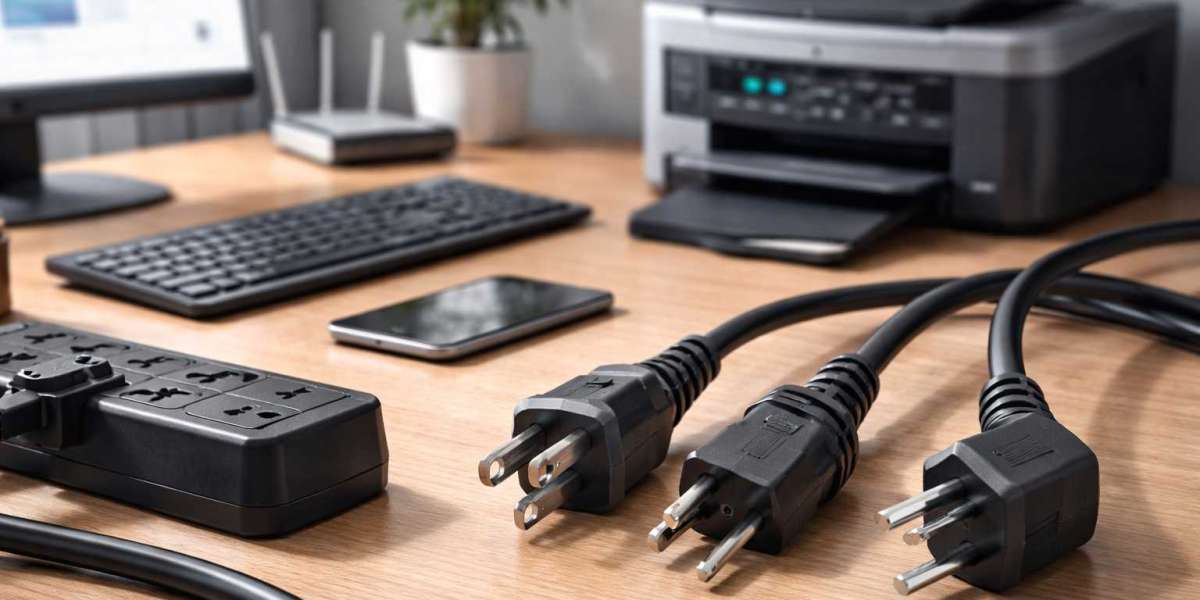
The NEMA 5-15 represents the most common power cord type you'll find in residential and office settings. This three-pronged plug features two flat parallel blades and a round grounding pin. Most desktop computers, monitors, printers, and other office equipment use NEMA 5-15 connectors.
This configuration handles up to 15 amperes at 125 volts, providing more than enough power for standard computer setups. Your typical desktop computer draws between 3 to 6 amperes under normal operation, while monitors usually consume 1 to 3 amperes.
NEMA 5-20 Power Cords
Some high-performance workstations or servers require NEMA 5-20 connections. These cables feature one horizontal blade and one vertical blade, along with the grounding pin. The NEMA 5-20 configuration supports up to 20 amperes at 125 volts, making it suitable for power-hungry equipment.
You'll typically find NEMA 5-20 outlets in dedicated computer rooms, server facilities, or workstations running multiple high-performance components simultaneously.
Compatibility Between Computers and NEMA Cables
Modern computers and monitors universally accept NEMA cables in North America. Manufacturers design their equipment to work seamlessly with these standardized connections. Your computer's power supply unit converts the alternating current from NEMA cables into the direct current your components need.
The power supply specification on your computer determines which NEMA cable type you need. Check your device's label or manual to identify the required amperage and voltage. This information ensures you select appropriate NEMA cables that safely deliver adequate power.
Safety Considerations When Using NEMA Cables
Proper Grounding
The grounding pin on NEMA cables serves a critical safety function. This third prong provides a path for electrical faults to travel safely to the ground, protecting you from electric shock. Never remove the grounding pin or use adapters that bypass this safety feature.
Computers contain sensitive electronic components that benefit greatly from proper grounding. The ground connection helps dissipate static electricity and reduces electromagnetic interference that could affect performance.
Cable Condition and Quality
Inspect your NEMA cables regularly for signs of wear, fraying, or damage. Damaged cables pose serious fire and shock hazards. Replace any cable showing visible damage immediately, regardless of whether it still functions.
Quality matters when selecting NEMA cables. Purchase cords from reputable manufacturers that meet UL (Underwriters Laboratories) or ETL (Intertek) certification standards. These certifications guarantee the cables have passed rigorous safety testing.
Power Strip and Surge Protector Usage
Many users connect multiple devices through power strips or surge protectors. Ensure these accessories also feature NEMA-compliant connections and can handle your equipment's combined power draw. Overloading power strips creates fire hazards and can damage your equipment.
Calculate the total amperage of all connected devices and verify it stays below the power strip's rated capacity. Most quality surge protectors display their maximum load capacity clearly on the device.
Choosing the Right NEMA Cable Length
NEMA cables come in various lengths, typically ranging from 3 to 15 feet. Select the shortest cable that comfortably reaches from your device to the outlet. Excessively long cables create tripping hazards and can contribute to electromagnetic interference.
However, avoid stretching cables taut or placing them under strain. This stress can damage the internal wiring over time, creating safety hazards. If your current cable doesn't reach comfortably, purchase a longer one rather than using extension cords whenever possible.
International Considerations
If you travel internationally or import equipment from other countries, you'll encounter different plug standards. NEMA cables work exclusively with North American electrical systems. European devices use different plug configurations and often operate at 230 volts instead of 120 volts.
For international equipment, you need proper voltage converters and plug adapters, not just physical adapters. Using incorrect voltage can permanently damage your computer equipment.
Maintenance and Replacement
NEMA cables generally last many years with proper care, but they don't last forever. Replace your power cords every few years as preventive maintenance, especially if you frequently connect and disconnect them. The repeated stress on connection points can weaken internal conductors.
Store spare NEMA cables properly by coiling them loosely without tight bends. Avoid wrapping cables around objects or creating sharp kinks that can damage the internal wiring.
Conclusion
You can absolutely use NEMA cables for your computer and monitor setup. In fact, these standardized power cords represent the safest and most reliable way to power your equipment in North America. The NEMA 5-15 configuration handles virtually all consumer and business computer equipment, while NEMA 5-20 serves high-performance systems.
Focus on using properly rated, undamaged cables from reputable manufacturers. Ensure proper grounding, avoid overloading circuits, and replace cables showing any signs of wear. Following these guidelines, your NEMA cables will safely power your computer setup for years to come.
Understanding NEMA cable standards empowers you to make smart decisions about your electrical connections. Whether setting up a home office or managing an entire computer lab, these standardized connections provide the reliability and safety your valuable equipment deserves.