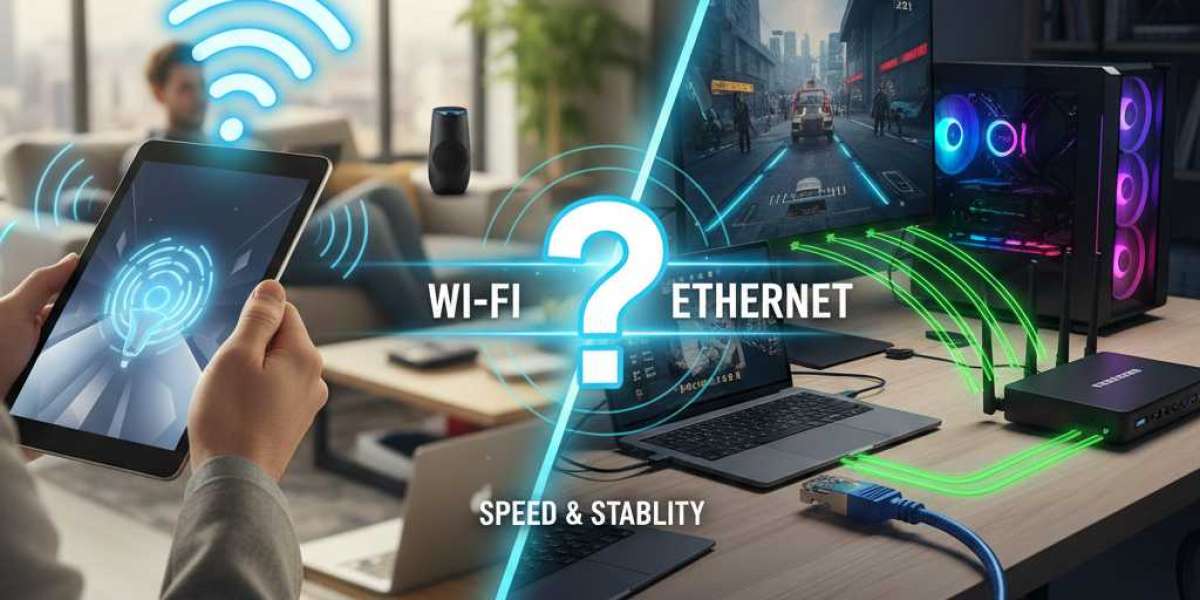

Choosing between Wi-Fi and Ethernet can feel confusing. Both options connect your devices to the internet, but they work in very different ways. Understanding these differences helps you make the right choice for your home or office.
What Is Wi-Fi?
Wi-Fi uses radio waves to connect your devices to the internet. You don't need any cables. Your router sends signals through the air, and your phone, laptop, or tablet picks them up. This wireless connection gives you freedom to move around while staying connected.
Most homes and businesses use Wi-Fi because it's convenient. You can sit on your couch, work in your backyard, or move from room to room without losing your connection.
What Is Ethernet?
Ethernet uses physical cables to connect devices to your network. A cat5e cable is one common type of Ethernet cable. You plug one end into your device and the other end into your router or modem. This creates a direct, wired connection.
Ethernet has been around longer than Wi-Fi. Many offices still prefer wired connections for certain devices, especially desktop computers and servers.
Speed Comparison
When it comes to raw speed, Ethernet usually wins. A cat5e cable can handle speeds up to 1 Gigabit per second (Gbps) over distances up to 100 meters. Newer cables like Cat6 and Cat6a can go even faster, but cat5e cable works great for most home and small business needs.
Wi-Fi speeds depend on several factors. Your router's capabilities, the number of devices connected, and physical obstacles all affect your speed. Even with the latest Wi-Fi 6 technology, wireless connections often can't match the consistent speed of a wired connection.
If you're downloading large files, streaming 4K videos, or playing online games, you'll notice the difference. Ethernet provides steady, reliable speed. Wi-Fi speeds can fluctuate throughout the day.
Security Matters
Security is another area where Ethernet has a clear advantage. When you use a cat5e cable or any Ethernet connection, your data travels through a physical wire. Someone would need to physically access that cable to intercept your information.
Wi-Fi sends data through the air. This makes it easier for hackers to intercept if your network isn't properly secured. Yes, you can protect your Wi-Fi with strong passwords and encryption. But a wired connection is inherently more secure.
For businesses handling sensitive information, Ethernet connections make more sense. Banks, hospitals, and companies dealing with confidential data often use wired connections for their most important devices.
Convenience and Flexibility
Wi-Fi clearly wins when it comes to convenience. You don't need to run cables through your walls or across your floors. You can connect your smartphone, tablet, and laptop from anywhere in your home.
Setting up Wi-Fi is simple. Most people can get their wireless network running in minutes. You just plug in your router, set a password, and you're ready to go.
Ethernet requires more planning. You need to figure out where to run cables. If your router is in one room and your computer is in another, you'll need to deal with cable management. Running a cat5e cable across your living room floor isn't ideal.
However, this inconvenience pays off in other ways. Once you set up your Ethernet connection, you rarely need to troubleshoot it. Wi-Fi networks often require restarts, password resets, and other maintenance.
Reliability and Stability
Ethernet connections are more stable than Wi-Fi. When you plug in a cat5e cable, your connection stays strong and consistent. You don't have to worry about signal interference from other devices.
Wi-Fi signals can be blocked by walls, furniture, and even other electronic devices. Your microwave can interfere with your Wi-Fi signal when it's running. Multiple Wi-Fi networks in apartment buildings can also cause problems.
If someone in your house starts streaming a movie while you're in a video call, your Wi-Fi might slow down. With Ethernet, each device gets its dedicated connection through its own cable.
Cost Considerations
Wi-Fi routers have become quite affordable. You can get a decent router for under $100. Most internet service providers include a wireless router with your service.
Ethernet equipment costs less in some ways and more in others. A cat5e cable is inexpensive. You can buy a 50-foot cable for under $15. However, if you need to wire your entire house, you might need professional installation. This can cost several hundred dollars.
For most people, Wi-Fi makes more financial sense. You get one router and connect all your devices wirelessly. Only add Ethernet connections for devices that really need them.
Which Should You Choose?
The answer depends on your specific needs. Here's a simple guide:
Choose Ethernet if you want the fastest speeds, the most security, and the most reliable connection. It's perfect for desktop computers, gaming consoles, and smart TVs. If you're setting up a home office or need to transfer large files regularly, a cat5e cable connection makes sense.
Choose Wi-Fi for mobile devices, convenience, and flexibility. It works great for smartphones, tablets, and laptops. If you move around your home while working or browsing, Wi-Fi is the obvious choice.
The Best Solution: Use Both
You don't have to pick just one option. Many people use both Wi-Fi and Ethernet in their homes. They connect stationary devices like desktop computers and gaming systems with a cat5e cable. They use Wi-Fi for their phones, tablets, and laptops.
This hybrid approach gives you the best of both worlds. You get reliable, fast connections where you need them most. You also maintain the flexibility to use your mobile devices anywhere in your home.
Final Thoughts
Both Wi-Fi and Ethernet have their place in modern networks. Wi-Fi offers unmatched convenience and works perfectly for mobile devices. Ethernet, using cables like cat5e cable, provides superior speed, security, and reliability for stationary devices.
Think about how you use the internet. Consider which devices need the fastest, most secure connections. Then create a network setup that matches your needs. For most people, a combination of wired and wireless connections works best.
Sources: https://thenewsify.com/wi-fi-vs-ethernet-which-one-should-you-use/